Best purchase order and procurement software for restaurants in Qatar (2026): 9 options compared
By Asaad Al Hashmi, Founder and CEO of Wady

The right purchase order software depends on the control you need most: approvals, receiving against the order, supplier price changes, invoice matching or central kitchen buying. A single cafe needs a free way to send and record orders. A hotel group needs approval levels and invoice matching. Few tools cover every control, so match the tool to your biggest gap.
This guide is about control of the purchase order. To compare the channel you order through (WhatsApp, apps, spreadsheets), read Restaurant supplier ordering systems in Qatar and the GCC. Here we compare 9 options on control, then run one test on all of them.
We are Wady, and we make two of the 9 options. Judge us by the same test. Vendor details checked on 3 October 2026 from their public pages, with links on each entry.
Key takeaways
Pick by control. Supy and Precoro state approval workflows and invoice matching. Apicbase and Wady Central target central kitchens. Zoho Books and Odoo suit finance-led teams.
The free Wady Purchase System sends and records orders at no cost to a restaurant. Per-branch approvals and spending limits are not live in any Wady product today.
Prices run from free to USD 2,420 a month for SAP's one public package, in different units: per outlet, per organisation, per user or on request.
Run the same six-step test on every vendor in a demo: order, approval, partial delivery, receiving, price change and finance handoff.
What is purchase order software?
A purchase order (PO) is the written order you send a supplier: items, quantities, agreed prices and a delivery date. Purchase order software creates that document, sends it, and keeps it so you can check the delivery and the invoice against it later.
Procurement software is the wider set. It covers requests from branches, approvals, POs, receiving, supplier invoices and reporting. Some tools do only the PO. Others run the chain.
Most kitchens in Qatar still run this on WhatsApp, calls and Excel. That works until a delivery arrives short, a price moves or someone asks who approved a large order. For more, read restaurant purchasing software and automated purchase orders.

Every purchase order ends here: a delivery at the back door that someone has to check.
What should purchase order software control?
Six controls decide whether a PO tool protects your money. Check each before you compare prices.
Approvals and spend limits
An approval workflow sends an order to the right person before it reaches the supplier, by role, outlet or amount. It answers one question: who said yes? Small teams need it less.
Receiving against the PO and partial deliveries
Receiving means recording what arrived against what you ordered. In a partial delivery the supplier sends part now and part later, so the PO stays open for the rest. Without this, you pay for cartons that never came.
Supplier price changes
A supplier raises a price and nobody tells you. Good software shows the change on the PO or delivery, before the invoice.
Invoice matching (2-way and 3-way)
A 2-way match compares the invoice with the PO: do price and quantity match what you ordered? A 3-way match adds the receiving record, so you also check that you received what the invoice charges for.
Central kitchen and outlet orders
A central kitchen buys for several outlets. The tool should collect each outlet's demand and turn it into supplier orders. Without that, someone rewrites 20 outlet orders into one sheet every night.

Consolidated outlet demand in Wady Central. An example screen, not a real customer's numbers.
The accounting handoff
Finance needs the PO, the receipt and the invoice in one trail. Check whether the tool pushes invoices to your accounting system, exports data, or leaves finance retyping.
How did we compare the 9 options?
We read each vendor's own public pages on 3 October 2026, and used our own product material for Wady. We ran no tool except our own.
Three limits apply:
"Not stated" means not on the page we read. It does not mean the feature is missing. Ask the vendor.
"GCC named" means the vendor's own site names a Gulf office or page. It does not mean the tool is unavailable elsewhere.
We picked the 9. They are the ones a Qatar operator is likely to meet. Another list would differ.
Purchase order software compared at a glance
Vendor details checked on 3 October 2026 from their public pages. Prices are the vendor's own and in the currency shown.
Tool | Type | Best for | Starting price | Approvals | Receiving | Invoice matching | GCC named on own site |
|---|---|---|---|---|---|---|---|
Wady Purchase System | Free supplier ordering | Any restaurant, cafe, hotel or caterer ordering from several suppliers | Free, forever | Roles only; each order shows who placed it | Records what arrived | Not stated | Qatar, built in Qatar |
Wady Central | Purchasing, stock, central kitchen | Groups and central kitchens | See the pricing page | Per-branch approvals not live | Receive by confirming | Not listed | Qatar, built in Qatar |
Supy | Purchasing, inventory, central kitchen | Multi-outlet groups with a central kitchen | From $250 monthly | Up to 5 levels | Flags over-deliveries | Auto-matches invoices to POs | Offices in Riyadh and Dubai; Qatar not named |
MarketMan | Purchasing and inventory | Restaurants and groups that order to par | $249 Starter, $299 Growth, from $449 Enterprise, monthly | Budgets, price limits, user permissions | Not stated | Invoice scanning; matching not stated | Not named |
Apicbase | Central kitchen and multi-outlet | Groups that run production and internal orders | Not public; Growth plan starts from 5 outlets | Not stated | Mobile app for intake | Not stated | Not named |
Odoo Purchase | ERP module | Teams with a partner to set up an ERP | One App Free; paid per user monthly | Not stated | Pay on received quantities | Vendor bills via its accounting app | Qatar in fiscal docs |
Zoho Books (Qatar edition) | Accounting | Qatar businesses that want PO and bills in accounting | Free plan; paid per organisation | Purchase approvals in Professional plan | Not stated | Vendor bills; matching not stated | Qatar edition |
Precoro | E-procurement | Finance-led teams in any industry | Core from $499 monthly, billed annually | Automated approvals | Receipts | 2-way and 3-way match | Not named |
SAP Ariba (SAP spend management) | Enterprise source-to-pay | Hotel groups and enterprises | One public package at USD 2,420 monthly; others on request | Not stated | Not stated | Not stated | SAP Qatar local page link |
What are the 9 options, one by one?
1. Wady Purchase System
Best for: any restaurant, cafe, hotel or caterer in Qatar that orders from several suppliers and wants a record of every order. Price: free for restaurants, forever. Wady charges the suppliers, never the buyer. See pricing. What it does: All your suppliers sit in one app with your agreed prices loaded, and you see minimum order, pack size, delivery days and cut-off times as you add items. You and the supplier hold the same record, saved with items, quantities and prices, and its status runs from sent to delivered. A supplier not on Wady gets the PO by email with you copied. The app records what arrived. Roles are admin, staff and contributor, every order shows who placed it, and spend shows per branch and supplier the day it happens. It runs on iOS, Android and order.wady.ai, in five languages.
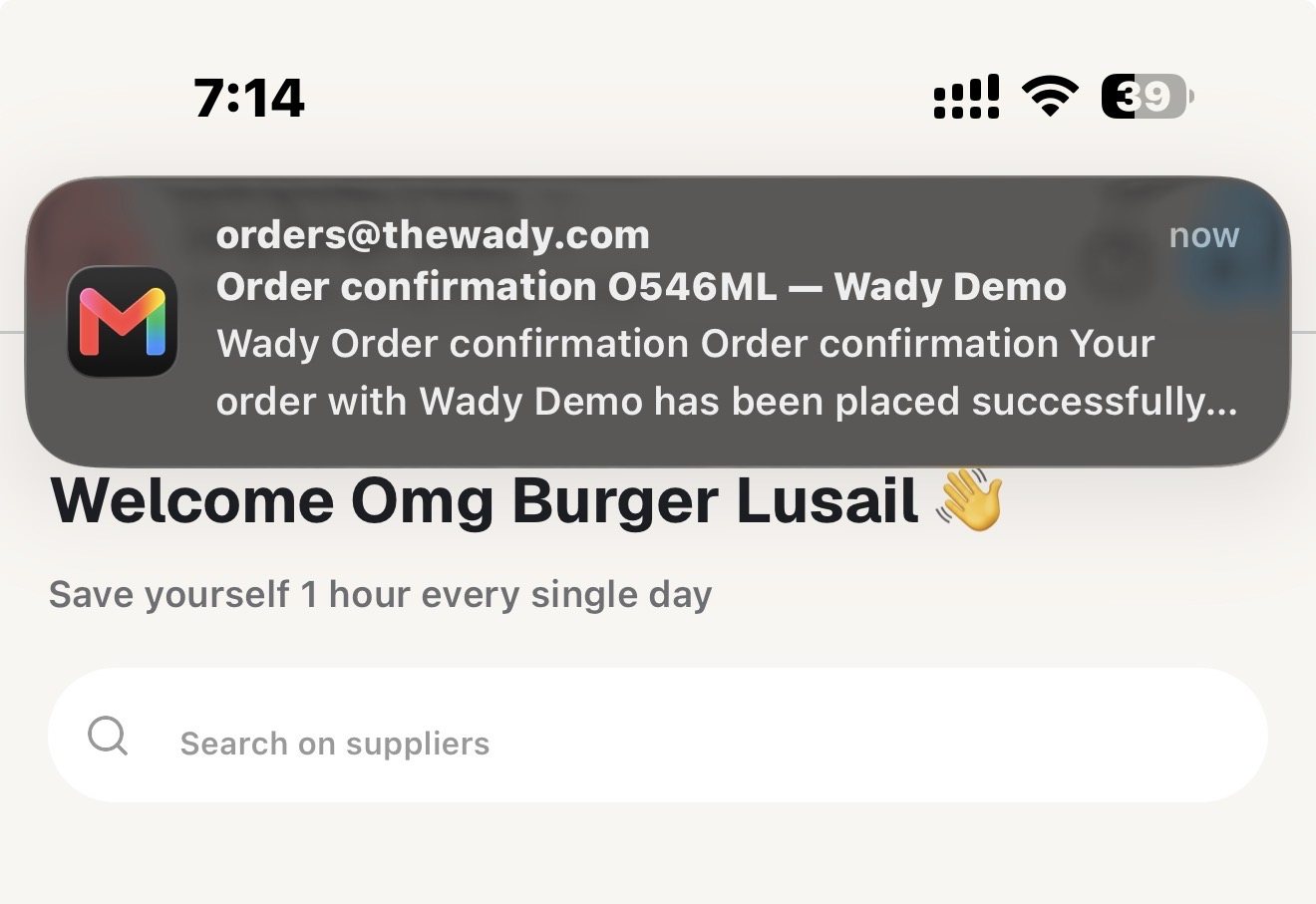
Each order sent through Wady comes back as a confirmation, so you and the supplier hold the same record.
Over 100 businesses in Qatar already use Wady, including Crave Holdings and OMC. Wady is rated 5.0 on the App Store. Built in Qatar.
Watch for: Per-branch approvals and spending limits are not live, and invoice matching is not stated. Operators told us suppliers can miss emailed POs, so the email route is the weakest part. What to test in a demo: place an order, mark part of it as arrived and check the record.
2. Wady Central
Best for: groups and central kitchens that need purchasing tied to stock, recipes and outlet orders, from one cafe up. Price: Current prices are on the pricing page. There is no VAT in Qatar. See Wady Central. What it does: You order every supplier from one place, and a supplier not on Wady gets the PO by email. You receive by confirming, not typing. Price rises and falls are flagged on delivery, and recipe costs are re-costed when a price moves. The owner's report shows ordered next to received and flags a delivery past its date and not received. Outlets order from the central kitchen in the app, and the kitchen gets consolidated demand, a production plan and delivery notes. It works alongside your POS and accounting, with no POS API yet.
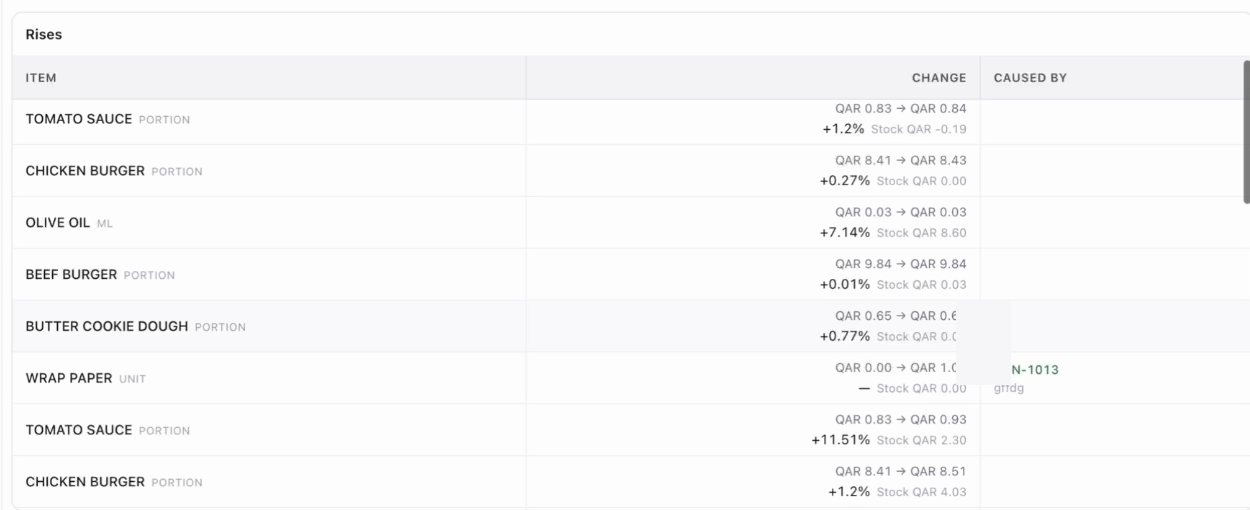
Price rises flagged in Wady Central. An example screen, not a real customer's numbers.
Watch for: Per-branch approvals and spending limits are planned, not live. Invoice matching is not listed. It is English only. What to test in a demo: receive a delivery at a changed price and follow it into the recipe cost.
3. Supy
Best for: multi-outlet groups with a central kitchen that want approval levels and invoice matching. Price: "Start from $250/month" (the page shows "$" only), as a tailored quote. Central kitchen modules are add-ons. Implementation takes 2 to 4 weeks. Source: Supy pricing. What it does: Requisitions and POs run through sequential approvals of up to 5 levels, by role, outlet or spend threshold. POs go out by email, WhatsApp or supplier integration. It routes orders to the central kitchen or outside suppliers, auto-matches invoices to their POs, flags price mismatches and over-deliveries, and pushes invoices to accounting. Sources: orders, invoice receiving, central kitchen. Watch for: ERP integration is an add-on. Its contact page lists offices in Riyadh and Dubai, and Qatar is not named. The product language is not stated. What to test in a demo: send an order above a limit through 3 approval levels, then match a short delivery to its invoice.
4. MarketMan
Best for: restaurants and groups that order to par and want budgets and price limits. Price: Starter $249, Growth $299, Enterprise from $449, monthly (the page shows "$"). Source: MarketMan pricing. What it does: You submit POs on web or mobile and fill to par. Order by Recipe generates POs from recipes on Growth and up. It has par levels, budgets, price limits, user permissions, invoice scanning, an HQ view across locations and a commissary add-on. Source: MarketMan purchasing. Watch for: Vendor EDI integrations are US, Canada and UK only. GCC, Arabic, receiving and invoice matching are not stated. What to test in a demo: set a price limit, order above it and see what happens.
5. Apicbase
Best for: central kitchens and multi-outlet groups running production and internal orders. Price: not public. The Growth plan starts from 5 outlets, and internal ordering and production planning are paid add-ons. Source: Apicbase pricing. What it does: Procurement, ordering to par, and a mobile app for intake and counts. Internal orders become bills of materials and POs "in just two clicks", and every PO takes stock at the central kitchen and the restaurant into account. Source: internal ordering. Watch for: Approvals and invoice matching are not stated. GCC and Arabic are not named, and its offices are in Antwerp and New York. What to test in a demo: send three outlet orders to the central kitchen and see how stock changes the supplier PO.
6. Odoo Purchase
Best for: teams that run or plan to run Odoo as their ERP, with a partner to set it up. Price: One App Free (one app, unlimited users). Standard and Custom cost per user per month in US dollars. Source: Odoo pricing. What it does: RFQs and POs with automated reordering rules, blanket orders, comparison of alternative RFQs, and payment on ordered or received quantities. Vendor bills run with the accounting app. It imports supplier price lists and supports multiple companies. Source: Odoo Purchase. Watch for: It is a general ERP, not a kitchen tool. Approvals, GCC and Arabic are not stated on those pages, though Qatar is in its fiscal localization docs. Ask what setup and partner fees come on top. What to test in a demo: bill on received quantity after a partial delivery.
7. Zoho Books (Qatar edition)
Best for: Qatar businesses that want POs and vendor bills inside their accounting. Price: a Free plan exists. Paid plans are priced per organisation (the page shows "$"). Purchase orders are in the Professional plan, not Standard. Source: Zoho Books Qatar pricing. What it does: Professional tracks sales and purchase orders and sets up sales and purchase approvals. It has vendor bills, price lists, inventory tracking and an iOS and Android app. The Qatar edition is in English and Arabic. Watch for: It is accounting with no kitchen workflow, such as outlet requests. Receiving and invoice matching are not stated. What to test in a demo: raise a PO, approve it and turn it into a vendor bill.
8. Precoro
Best for: finance-led teams that want approvals and 3-way matching and accept a tool not built for restaurants. Price: Core "starts at $499/month billed annually"; Automation "starts at $999/month billed annually". It accepts US dollars, pounds and euros. Source: Precoro pricing. What it does: Purchase requests, POs, receipts and invoices, with 2-way and 3-way match and automated approvals. It has an item catalog and a mobile app, connects to QuickBooks Online and Xero, and routes approvals for requests, POs, invoices, expenses and suppliers. Watch for: It is not restaurant specific, and no GCC site is named. What to test in a demo: run the 3-way match on a short delivery with a changed price.
9. SAP Ariba (SAP spend management)
Best for: hotel groups and enterprises that need a full source-to-pay suite. Price: one public package, SAP Strategic Procurement at USD 2,420.00 a month, which covers sourcing and contracts, not POs. Others are on request. Source: SAP pricing. What it does: An integrated suite for procurement strategy, source-to-contract, procure-to-pay and supplier management. Source: SAP spend management. Watch for: It is built for enterprises, and the pages we read do not detail approvals, receiving or invoice matching. What to test in a demo: ask for the procure-to-pay flow on one kitchen's weekly order.
What is the same test for every vendor?
Ask each vendor to run these six steps live, with your own supplier and items. The numbers are example numbers, not a real customer's.
Step | What happens in the example | The question |
|---|---|---|
1. Order | A branch orders 10 cartons of milk, 12 x 1 L each, which is 120 litres | Does the tool convert units correctly? |
2. Approval | The order is above the branch limit | Who approves, and where is it recorded? |
3. Change | The supplier can send 8 cartons today and 2 tomorrow | Does the PO stay open for the rest? |
4. Receive | 8 arrive, 2 are still due, and 1 carton is damaged and rejected | Does the record show 7 accepted, 2 due, 1 rejected? |
5. Price | The invoice says QAR 6.50 a litre; the agreed price was QAR 6.00 | Is the gap flagged, and by how much? |
6. Handoff | Finance wants the trail | What does finance see, and can it export? |
Order. 10 cartons of 12 x 1 L is 120 litres. A tool that stores "10" and lets the supplier read 10 litres costs you a week of arguments. Watch the unit and pack size on the PO.
Approval. Watch for a named approver, a record of the yes and a path for when that person is away.
Change. The PO should stay open with 2 cartons outstanding, not close or turn into a second order.
Receive. Seven cartons are accepted, which is 84 litres. Watch whether the rejected carton is recorded with a reason, so you can ask for a credit or a replacement.
Price. The gap is QAR 0.50 a litre. On 84 litres that is QAR 42.00 over (QAR 546.00 invoiced against QAR 504.00 agreed). A 3-way match flags it.
Handoff. Finance should see the PO, the receipt and the invoice for one order without retyping. Ask about export and accounting integration.
How does Wady do on this test?
We ran the test against our own product material. Some steps are not live today.
Order. The Purchase System shows minimum order and pack size as you add items, with your agreed prices loaded. Wady Central questions odd numbers as they are typed. Whether a carton of 12 x 1 L converts to 120 litres is not in our material, so ask us to show it.
Approval. Per-branch approvals and spending limits are planned, not live. Today you get roles (admin, staff, contributor), and every order shows who placed it.
Change. What happens on a partial delivery is not confirmed here. Ask us.
Receive. The Purchase System records what arrived. In Wady Central you receive by confirming, not typing, and it flags a supplier delivery that is past its date and not received. Whether it records a rejected carton with a reason is not stated.
Price. Wady Central flags price rises and falls on delivery and re-costs recipes when a price moves. Invoice matching is not listed on Wady Central today, so a line-by-line check of invoice against PO is a question for us.
Handoff. Every order is saved with items, quantities and prices, and the owner's report shows ordered next to received. Wady Central exports all your data, any day, free, and works alongside your accounting. We do not claim an accounting integration.
What does purchase order software cost?
Ask what the price counts. Wady Central charges per outlet and per central kitchen. Supy and MarketMan state monthly plan prices, Odoo charges per user, Zoho Books per organisation and Precoro per plan billed annually. Apicbase and SAP quote on request, apart from SAP's one public package.
Add-ons change the total: Supy's central kitchen modules and ERP integration, Apicbase's internal ordering and production planning, and MarketMan's commissary are all extra.
Time matters too. Supy states 2 to 4 weeks to implement. The Wady Purchase System takes about five minutes to set up. Ask every vendor about training and supplier onboarding. At Wady, we train your team and bring your suppliers on, and you can add your own.
Which purchase order software fits your business?
Your business | Start with | Why |
|---|---|---|
One cafe | Wady Purchase System | Free, sends and records orders, five minutes to set up |
2 to 10 branches | Wady Purchase System, then Wady Central or Supy | Spend per branch first; then receiving, price flags and stock |
Group with a central kitchen | Wady Central, Supy or Apicbase | All three route outlet demand to the kitchen |
Hotel or enterprise | SAP Ariba, Precoro or Supy | Approval levels, 3-way match and a full procurement suite |
Finance-led, built on accounting | Zoho Books or Odoo Purchase | POs and bills inside the ledger you already use |
For the wider stack, read best restaurant management software in Qatar. For buying across branches, read how multi-branch restaurants centralize purchasing.
FAQ about purchase order software
Is there free purchase order software for restaurants in Qatar?
Yes. The Wady Purchase System is free for restaurants, cafes, hotels and catering, forever, and Wady charges the suppliers. Odoo has a One App Free plan, and Zoho Books has a Free plan without purchase orders.
What is 3-way matching?
It compares the PO, the receiving record and the supplier invoice. If the invoice charges for 10 cartons and you received 8, the match flags it. Precoro states 2-way and 3-way match, and Supy states it auto-matches invoices to POs.
Do my suppliers need to join?
Not always. Supy sends POs by email, WhatsApp or supplier integration. In both Wady products, a supplier not on Wady gets the PO by email with you copied. Check what each tool does when a supplier ignores the email.
Do I need approvals for a small restaurant?
Usually not. If one owner places every order, a record of what was ordered and received is enough. Add approvals when several people can order. Wady's per-branch approvals are not live today.
Does it work in Arabic?
It depends on the tool. Zoho Books Qatar edition is in English and Arabic. The Wady Purchase System runs in five languages, and Wady Central is English only. For the others, Arabic is not stated, so ask the vendor.
Related articles
Restaurant supplier ordering systems in Qatar and the GCC: 7 options compared (2026)
Best restaurant management software in Qatar (2026): 12 tools by job
Start with the control you miss most
Start with the free Purchase System: download Wady on the App Store or Google Play, or open order.wady.ai in your browser. For Wady Central, message us on WhatsApp at +974 7000 7658. See the Purchase System, Wady Central and the FAQ.
All your orders from your suppliers in one place, free forever.


