
Platforms that support automated purchase order generation fall into two groups. Some write the purchase order for you the moment you send an order. Others also work out what to order from stock levels, par levels or sales, and draft the order before you ask. Wady is in the first group: its Purchase System creates the purchase order when you send an order, and Wady Central builds a purchase list from your production plan. Wady does not claim fully automatic reordering from par levels or sales. This guide covers what automated purchase orders mean, what to ask a vendor, where reordering fails, and what Wady does and does not do.
Key takeaways
Automated purchase orders cover four things: generated on send, suggested from stock, suggested from demand, and sent and approved automatically.
Wady's Purchase System creates the purchase order when you send an order, and it is free forever for buyers in Qatar.
Wady Central builds a purchase list from the production plan, and Wady does not claim automatic reorder from par levels or sales.
Reordering errors come from the data (stale counts, unit mistakes, recipes that drift from reality), so test any vendor on one real week of your orders.
What does "automated purchase order generation" actually mean?
It means the system produces the purchase order, so nobody types it. The phrase covers four different things, and platforms differ on each.
Generated on send. You pick items and quantities. The system turns them into a purchase order with prices, delivery date and a record. No document is typed by hand.
Suggested from stock. The system compares stock with a reorder point or par level and proposes what to buy.
Suggested from demand. The system proposes purchases from sales, outlet orders or a production plan.
Sent and approved automatically. The purchase order goes to the supplier on its own, or after a manager approves it.
Ask a vendor which of the four they mean, and ask to see it run on one of your own suppliers. "Automated" is used for all of them, and they save very different amounts of work.
What are par levels and reorder points?
A par level is the stock you want on the shelf after a delivery. A reorder point is the stock level that triggers a new order, usually your par level minus what you use while waiting for the delivery. If flour has a par level of 100 kg and the supplier needs two days, you reorder when flour drops to the amount you use in two days, plus a safety margin.
Par levels only work if the stock number is right. A stock count that is a month old gives a suggested order that is wrong in a confident way. That is why purchasing and stock sit close together in kitchens that do this well. Our guide to restaurant inventory management covers counts, waste and movements.
How do restaurants in Qatar create purchase orders today?
Operators of multi-branch groups in Qatar describe the same pattern, in their own words from meetings with us:
Outlets send orders on paper, WhatsApp or Excel. Someone rewrites them into one sheet. "Every night someone sits down and writes all the orders down."
The purchase order is retyped again. Then it goes to the supplier by WhatsApp, a call or an email.
Emailed purchase orders get missed. Suppliers live on WhatsApp and calls, so an order sent by email gets missed, then duplicated.
Typing errors travel. Millilitres against litres, a comma where a decimal point belongs. One wrong digit and every number after it is wrong.
So for most kitchens here, the first win is not a forecast. It is an order that is typed once and arrives where the supplier will see it. For a wider view of the category, see restaurant purchasing software. A single outlet can start with the free Purchase System.
What should you look for in a platform with automated purchase orders?
Seven checks. Put them to any vendor, including us.
Where does the order come from? Typed by a person, copied from outlet orders, built from a production plan, or suggested from stock?
Does it know your prices? A purchase order with the wrong price is worse than a late one. Prices should be loaded per supplier.
Does the supplier actually see it? An order sent by email to a supplier who only reads WhatsApp is not automated, it is lost. Ask what the supplier receives and where.
Is there one record? You and the supplier should hold the same order, with items, quantities and prices.
Can it handle suppliers that are not on the platform? Most kitchens buy from some suppliers who will never sign up.
Are there approvals? Groups often want a manager to confirm large orders. Ask whether the platform has approval steps, and who sets them.
Does stock feed the order? Ask whether par levels, low-stock alerts or a production plan feed the purchase list, or whether it starts blank.
Manual vs semi-automated vs fully automated purchasing
Manual (WhatsApp, calls, spreadsheet) | Generated on send | Suggested and automatic | |
|---|---|---|---|
Who works out what to buy | A person, from memory or a sheet | A person, from the catalogue | The system, from stock, par levels or sales |
Who writes the purchase order | A person, each time | The system, from the basket | The system |
Prices | Looked up or remembered | Loaded per supplier | Loaded per supplier |
Record of the order | Scattered across chats | One saved record | One saved record |
Needs accurate stock data | No | No | Yes, or suggestions are wrong |
Best for | One urgent item | Regular ordering across suppliers and branches | Stable menus with accurate counts |
Fully automatic reordering is only as good as the data under it. A kitchen with weekly counts, clean recipes and a stable menu can use it well. A kitchen that counts once a month cannot. For many kitchens, "generated on send" delivers most of the saved time with far less setup. Groups can read how multi-branch restaurants centralize purchasing.
What goes wrong with automated reordering?
Four things, and all of them come from the data, not the software.
Stale counts. If the last count was five weeks ago, the system thinks you have stock you do not have, and it orders too little.
Unit mistakes. A pack of 12 entered as 12 packs. Sacks entered as grams. The system multiplies the mistake, then sends it.
Recipes that drift from reality. If the recipe says 100 g and the cook uses 200 g, demand-based suggestions run short. Operators told us "declared 100 grams, used 200".
Missing dependencies. You have ingredient A, but ingredient B has not arrived, and A expires. A par level cannot see that. A plan built from recipes can.
The fix is checks at the point of entry, plus counts that happen on a schedule. Wady Central questions odd numbers as they are typed, and flags negative balances instead of hiding them. Read more on stock. The UN reports that 1.05 billion tonnes of food, about 19 percent of what was available, was wasted worldwide in 2022 (UN Sustainable Development Goal 12). WRAP, a UK food waste charity, publishes guidance on measuring and reporting food waste in hospitality and food service that helps businesses see where savings are.
How do approvals fit into purchase orders?
Approvals decide who may send an order, and for how much. A cafe owner usually needs none: the person ordering is the person paying. A group often wants a manager to confirm a large order, or a rule that one branch cannot order above a limit.
When you compare platforms, ask four things. Who can create a purchase order? Who can send it? Can a limit trigger a second pair of eyes? Is every order tagged with who placed it? Wady's Purchase System gives everyone their own login, with roles for admin, staff and contributor, and every order shows who placed it. Approval steps, spending limits and allowed suppliers per branch are not available in Wady Central yet. They are planned for the future.
How do you test a vendor in a demo?
Bring one real week of orders and ask the vendor to run it live. Four tests tell you most of what you need. ServSafe, the National Restaurant Association's food safety program in the US, says to check temperatures with a thermometer at receiving and to accept cold food at 5°C or lower (ServSafe receiving criteria).
Create an order for a real supplier. Count the taps, and see what the supplier receives.
Order from a supplier who is not on the platform. See what happens, and who is copied.
Ask the platform to show how a quantity was suggested. Any suggestion should point to a stock balance, a recipe or a plan you can open. If it says "the system calculated it", walk away.
Change a price and look at what moves. The next purchase order and the recipe costs should both change.
How Wady helps with automated purchase orders
How does Wady's Purchase System generate purchase orders?
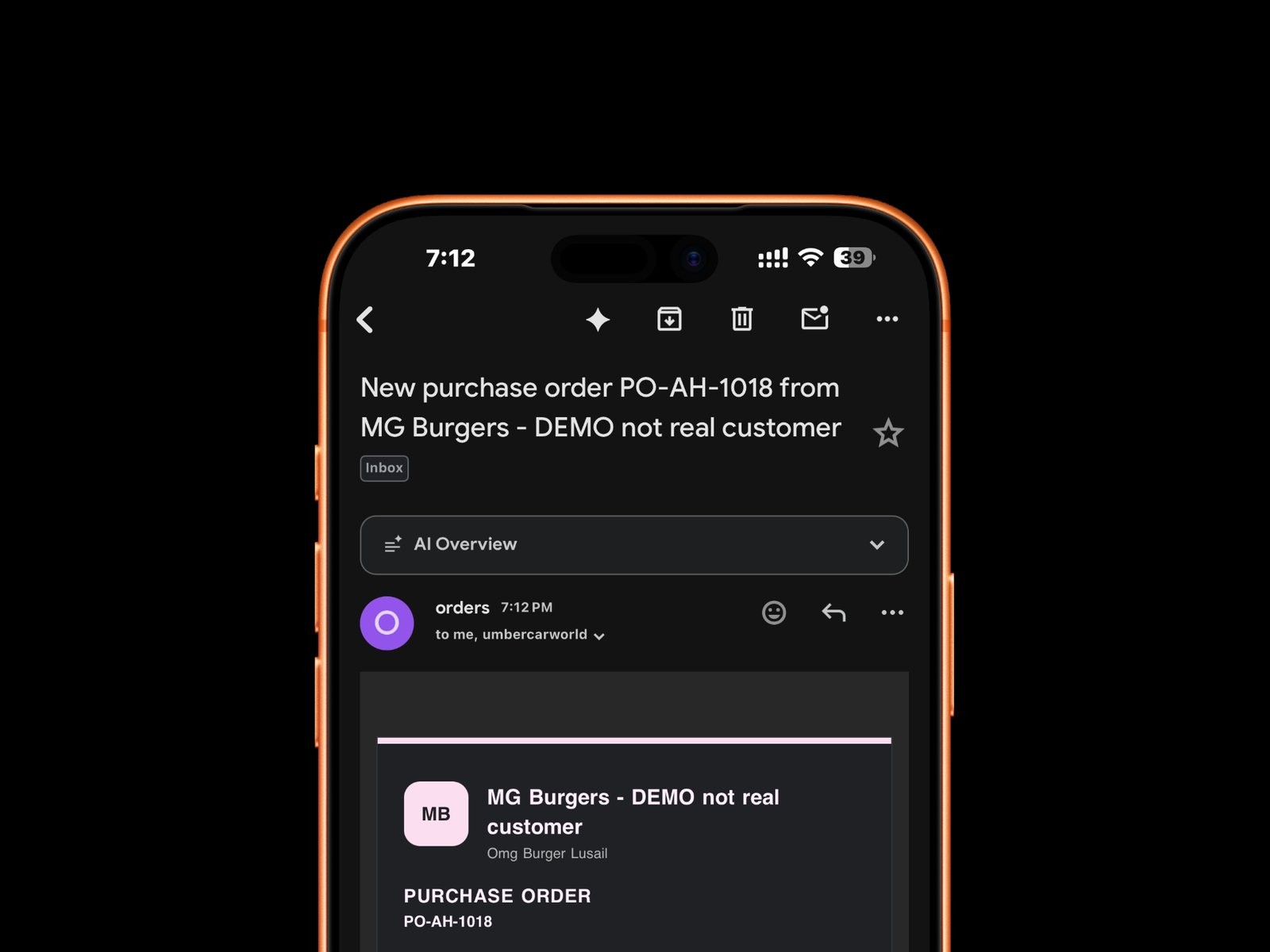
Wady's Purchase System is free for restaurants, cafes, hotels and catering kitchens in Qatar. You build the order in a few taps, and the purchase order sits on the order. The supplier gets it straight away, and you both hold the same record.
Pick the supplier from your connected suppliers.
Fill the basket from the full catalogue, at your agreed prices, with minimum order and pack size shown.
Choose the delivery date from the supplier's real delivery days and cut-off times.
Send it. Every item, quantity and price is kept, with the status from sent to delivered.
A supplier not on Wady yet? Add them yourself with their products and prices. The purchase order goes out by email, and you are copied. Be aware of the limit here: buyers told us suppliers do not always read email, so suppliers on Wady are the stronger path. Stock, recipes and costing sit in the paid Wady Central.
The Purchase System does not suggest orders from stock. You choose what to order. It is free forever, and Wady charges the suppliers, never the buyer. More in Purchase System.
How does Wady Central handle purchasing for groups and central kitchens?
Wady Central is Wady's paid product for stock, recipes, purchasing and production, from one cafe up to a group with a central kitchen. Its purchasing side works from your own records, in this order:
Order every supplier from one place. Suppliers on Wady or not. If a supplier is not on Wady, the purchase order goes by email.
A purchase list built from the production plan. The plan comes from real outlet orders, minus what is in stock, with sub-recipes pulled in and rounded to real batches.
Low-stock alerts with the cost to refill. Stock shows what is low and what it costs to bring back up.
Min level and par level on each item. The item setup has fields for both.
Receive by confirming, not typing. Price rises and falls are flagged on delivery.
This is the closest Wady comes to suggested purchasing: the list is built from the production plan, and the stock behind it is a ledger where every movement has a reason and a document. See Wady Central purchasing and Wady Central stock.
Wady Central works alongside the POS and accounting you already have, so it does not replace them.
What does Wady not do?
Knowing the limits lets you compare platforms on equal terms. In the product material we work from, Wady does not claim these:
Automatic reorder from par levels. Par level is a field. We do not say a purchase order is created by itself when stock drops below it.
Orders suggested from POS sales. Wady works alongside your POS. We do not claim it drafts purchases from sales data.
Approval workflows. Multi-step approvals on purchase orders are not available yet. They are planned for the future.
Standing or recurring orders. Operators have asked for them. We do not claim them as a feature.
Forecasts. Wady stands against black-box numbers. Every figure is arithmetic on real records and names the document behind it.
If any of these decides your choice, ask us for a walkthrough before you decide. Do not assume.
See it on your own suppliers
Over 100 businesses in Qatar already use Wady, including Crave Holdings and OMC. Message us and we will set up 15 minutes on your own suppliers, or 20 minutes on Wady Central for a group. Start at order.wady.ai.
Frequently asked questions
All your orders from your suppliers in one place, free forever.


